Video Downloads from Terminal: ydl
I built a small wrapper around yt-dlp to make it easier to use. Enter ydl, my macOS-friendly video downloader. It takes the URL from your clipboard, or even multiple URLs, such as a YouTube link, and downloads the best available version.
The project lives on GitHub, but installing it on any Mac is simple: just run this command in Terminal.
/bin/zsh -c "$(curl -fsSL https://raw.githubusercontent.com/angelday/ydl/main/install.zsh)"This takes care of everything: it installs the dependencies, copies the script to its final location, and makes it executable. You can just re-run the command to update it. There is no package manager yet.
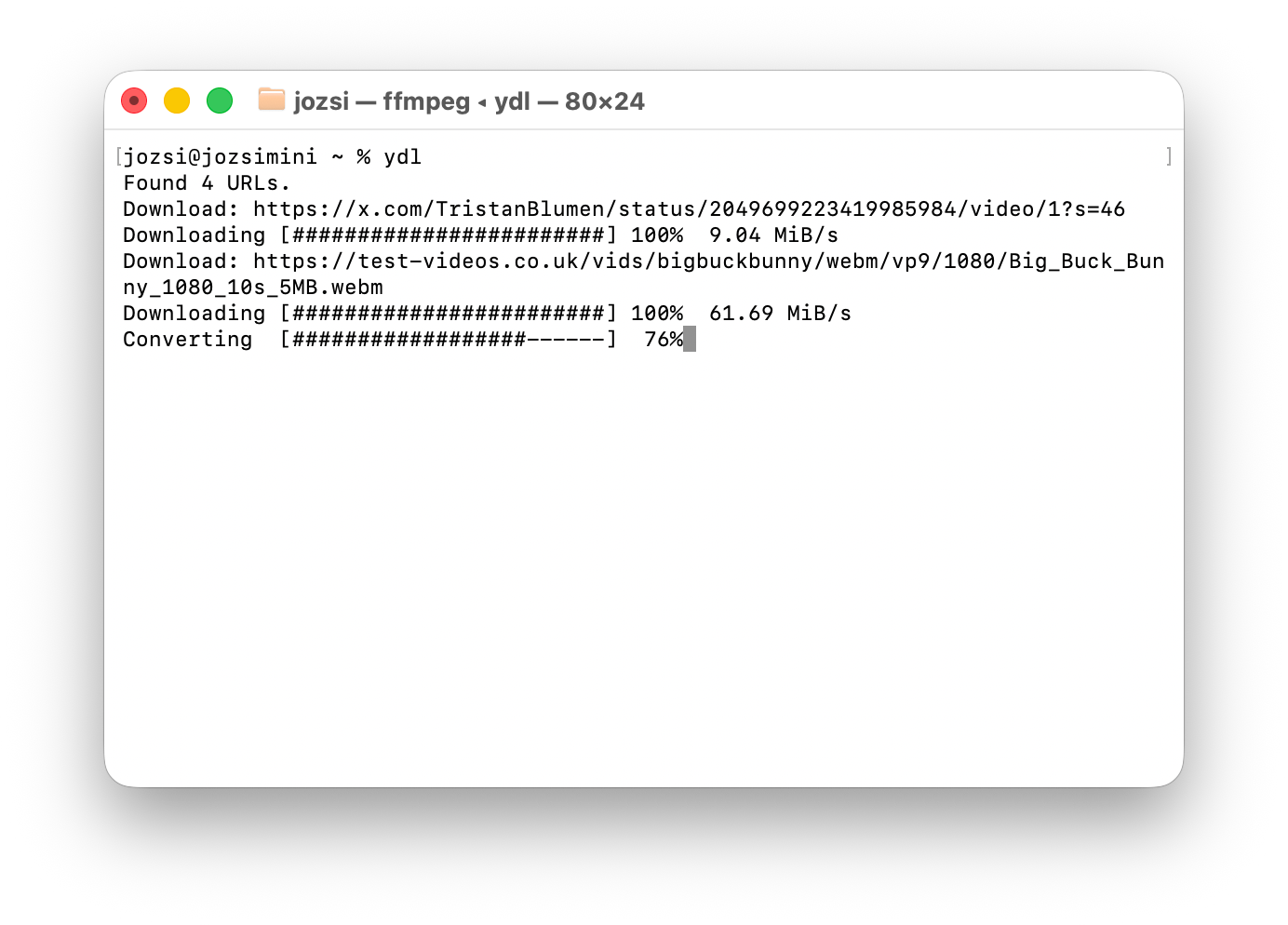
Usage: open Terminal, navigate to the folder where you want the download to go, and run ydl. It will download the video from whatever URL is on your clipboard. You can also pass multiple, unformatted links, and it will intelligently retrieve the URLs one by one. If something is not in an Apple-friendly format, such as a VP9 video, it will re-encode it to MP4 so Quick Look can play it, icons show the correct preview, and so on.
Why not just use yt-dlp directly? Because my tool always tries to download the highest-quality Mac-friendly version, and it also gives you a very simple front end for everyday use.
Here is the full command help:
jozsi@jozsimini % ydl -h
ydl 1.4.3
Usage: ydl [-a] [-v] [-c [browser]] ['URL or text with URLs'] [extra yt-dlp args...]

Downloads the best available video using yt-dlp, preferring H.264/H.265.
Use --audio to save only audio as M4A.
Torrent URLs are fetched with browser cookies and downloaded with transmission-cli.
If no input is given, reads URLs from clipboard text.
If input contains multiple URLs, downloads them one by one.
Videos outside Apple-friendly H.264/H.265 are converted to H.264 MP4.

URL should be wrapped in quotes to avoid shell interpretation.
Accepted URL schemes: http, https, ftp.

Options:
  -a, --audio    Save only audio as M4A
  -c [browser]   Use cookies from browser (default: safari)
  -v, --verbose  Show raw yt-dlp and ffmpeg output
  -h, --help     Show this help
Enjoy!
Changelog
See full changelog for details.
- 2026-06-06 v1.4.3 – improved copywriting: active progress rows use aligned gerund labels
- 2026-06-04 v1.4.2 – bugfix: removed forcing headers for better compatibility with Facebook
- 2026-05-21 v1.4.1 – added
-ato download audio only - 2026-05-19 v1.4 – added experimental .torrent support (no seeding, just snatches a file and closes down the torrent)