Building a Tiny Infra Dashboard for My Ghost Setup
In my previous post, I explained how I set up a new headless Ghost workflow for this website. It worked, but using it in practice exposed a few issues, mainly because I do not have one Ghost server on my home computer but two.
The catch was that, with two sites, only the port numbers distinguish them. Every time I wanted to switch to the other site, I had to type in the admin email address and password again.
I started thinking about how to give the two Ghost servers proper hostnames that I could reach from outside, even from my phone, and still keep the whole thing free. I also had another problem: after editing a site, I still had to “publish” it from a computer by running a script that generated the static files and so on.
Another issue that kept coming up was updates. Ghost releases them fairly often, so I had to keep updating everything by hand. It was not difficult, but jumping into the right folder and running the same few commands every time got old quickly. I did that for weeks before it started to feel a bit tight.
My first step was a simple script that just updated the Ghost sites one by one. That turned out to be pretty handy, and then I realized I was still doing the Homebrew updates by hand too. So I started wondering whether I should write a larger script that would simply walk through brew update, brew upgrade, and ghost update in one go.
That was where I started, and I probably would have moved on with my life, but then another idea started nagging at me:
What if I built a small dashboard that simply showed whether there were any Homebrew or Ghost updates on the machine? And while I was at it, it could also start and stop the Ghost servers. That sounded pretty nice.
That was more or less the starting point of the whole infra project.
I already had a free Tailscale setup (a private VPN, excellent, I recommend it to everyone), so I could already reach the Ghost CMSes remotely. But the URLs were clumsy, and the login problem was still there. After a bit of thinking, I landed on the following infrastructure setup:
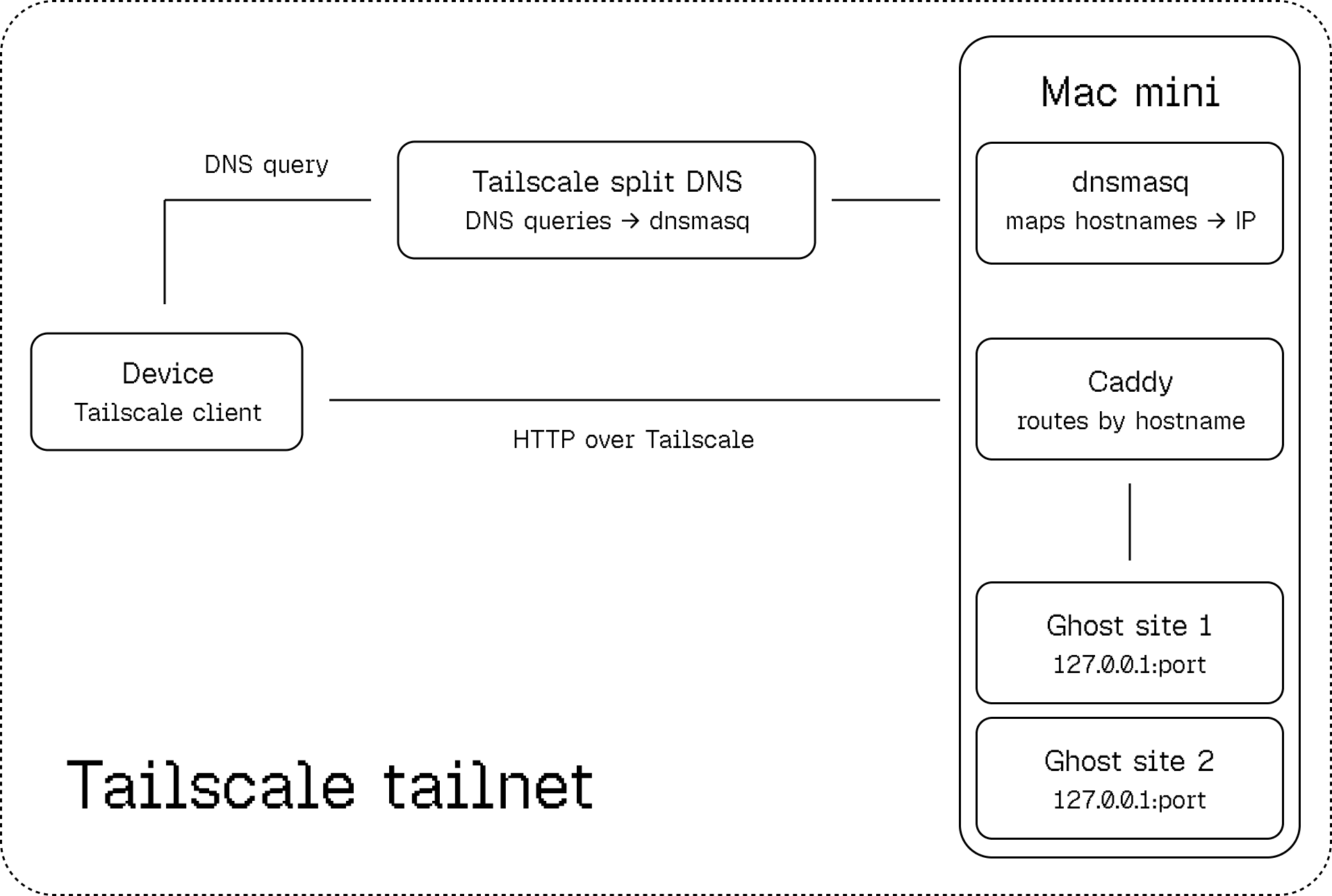
In Tailscale’s web admin, I added a split-DNS entry for one of my unused domains. The point of this is that DNS queries for that domain are resolved by my own private DNS server (dnsmasq).
I also needed Caddy, which proxies traffic to the correct local IP addresses and ports. That became my “infrastructure,” and as a result I ended up with beautiful hostnames instead of horrors like jozsimini.tail59ab12.ts.net:4321:
http://jozsefschaffer.csokolade.hu/ghost
andhttp://hetimeteor.csokolade.hu/ghost
After that came the design process, which I’ll write about in a separate post. For now, the short version is that after about a week of fairly intense work, I reached a state I was happy with.
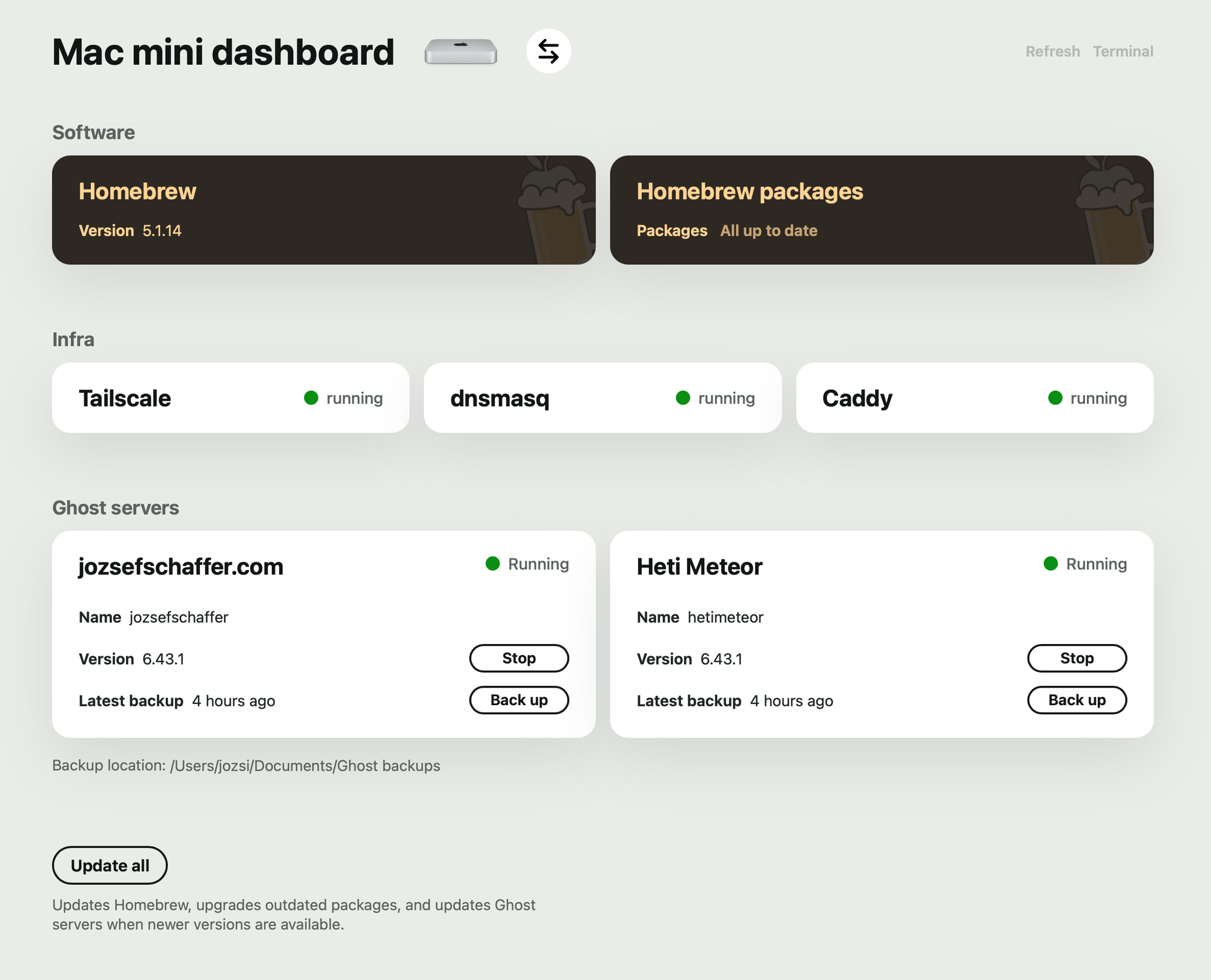
Technically, a Node server polls the machine for Homebrew and Ghost updates once an hour. It exposes two API endpoints: a full one, which the front end uses to render the cards, and a compact one, which the Swift menu bar app uses to decide which icon to show. With one glance, I can tell whether there is an update waiting for me.
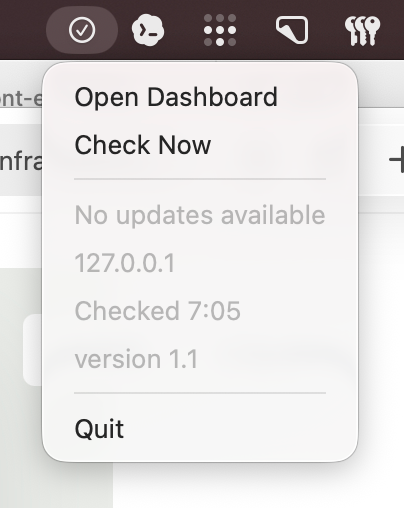
I built the whole thing in a very lean way. I still start the Node server by hand — no launchd — and let it run in its own Terminal window so I can see the logs. The Swift app is just compiled from the command line into a binary and launched the same way. For now, it is perfect. The only new problem in my life is that I now keep checking whether any new Homebrew updates have arrived.